
Entertainment
The best tablets for digital art in 2025
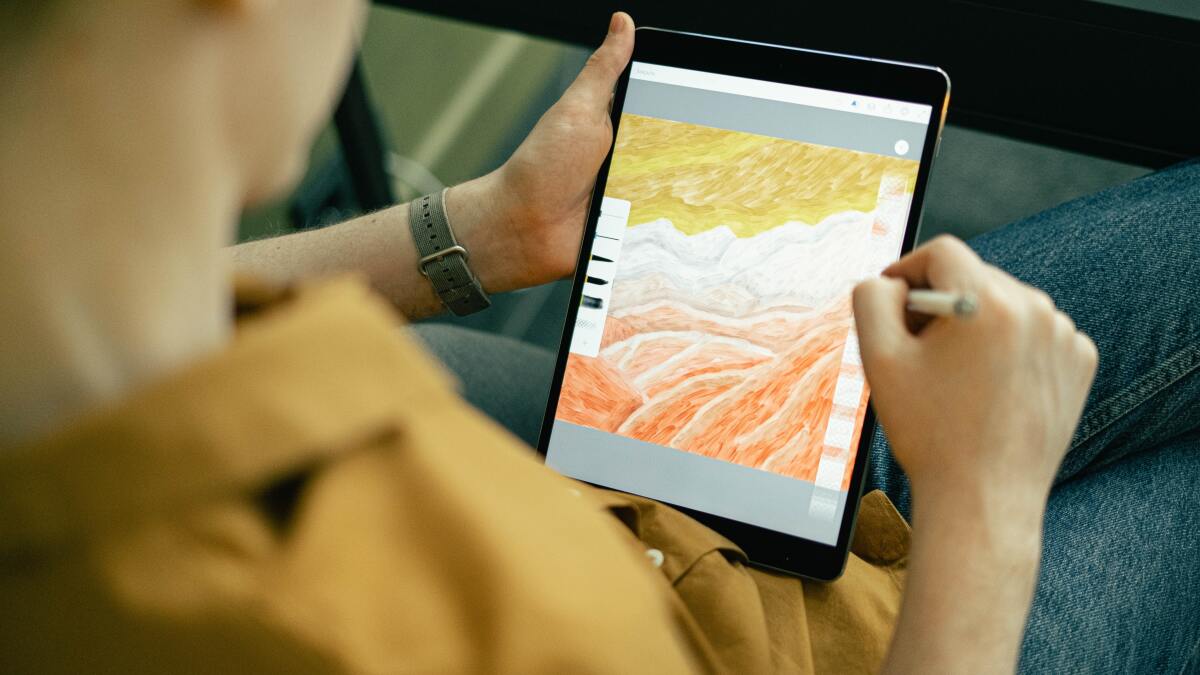
This content originally appeared on Mashable for a US audience and has been adapted for the UK audience.
Brushes, paints pots, and easels are a thing of the past. Technology has not only digitised the art world but expanded it too. Indeed, technology has made art far more accessible, as well as becoming a go-to option for professionals.
Technology allows graphic designers and illustrators to simulate a variety of mediums by using such tools as a tablet, a stylus, a touch-sensitive pad, and creative software like Adobe Fresco. That flexibility, in addition to a quick turnaround and the end product, makes digital art appealing from a commercial perspective.
Of course, the tablets, styluses, and pads can cost quite a bit. And it’s all a bit confusing if you don’t know your art-based tech jargon. As far as we’re concerned, the best place to start is a drawing tablet. And we can help paint a clear picture on how to choose one.
Should you use a drawing tablet?
A good tablet — plus your software and pen — will affect how well you’re able to translate your drawing skills to the screen, or, if you’re a total beginner, the control you have over your artistic process. Meanwhile, different software — such as Adobe Illustrator or Photoshop — will offer different mediums and editing options.
What kinds of drawing tablets are there?
Most drawing tablets can be placed into the below categories:
-
Graphics tablet — The simplest of the bunch, essentially a touch-sensitive pad with a pen that you can plug into your computer so you have more control over your cursor (and therefore your digital pen) while drawing. The movement of your stylus on the pad will be reflected on your computer screen.
-
Pen display — Probably what most people think of in terms of drawing tablets, these panels will let you see the tracks of your stylus or pen as you go. Instead of having to plug into a computer, these are standalone tablets able to produce art themselves.
-
Tablet computer — iPads and their ilk are powerful minicomputers for which drawing is just one of many other functions. Often their use for art will require purchase of a pen or accessory of some sort for better control, and the creative software of your choice.
Keep these categories in mind when shopping around for a new tablet.
Can beginners use a drawing tablet?
Artists of any skill level can use a tablet. But do take your skill level into account before buying. If you’re not entirely comfortable drawing without looking at your hand moving across the paper, for instance, you might find a graphics tablet a bit difficult to use, since you’ll have to watch the monitor while drawing with your hand. In that case, a pen display or iPad might suit you better.
What’s the best type of display for a drawing tablet?
A tablet’s display is critical to performance. If you’re trying to create photorealistic works of art, a high resolution is worth the price. But if you just want to practice your drawing skills on a more casual basis, a run-of-the-mill tablet with lower resolution is more cost-effective. The thickness of a display will affect parallax — the shifting of a line or object based on a person’s perspective, caused by the distance (however small) between pen and interface, separated by the display. Minimising parallax will help keep perspective consistent.
How sensitive are drawing tablets?
They can be different sensitivities, but once again consider what works best for you. Some might prefer a super touch-sensitive screen that will pick up on every feather-light brush of the pen, while others will want a less responsive tablet that they can press harder on to keep a line steadier, or prevent accidental marks.
The feel of a tablet is also crucial. Obviously, it won’t feel the same as drawing on paper, but the material and make of the tablet can determine how much give, friction, and glide it has. A tablet’s tactile aspect is very important to consider, especially if you’re someone who is very particular about your setup.
How big are drawing tablets?
Size and heft is one of the most important aspects to keep in mind — whether you want a tiny, portable thing to carry everywhere with you for sketching or a heavy-duty unit equipped with loads of extra features that will stay on your desk. The size of a tablet typically corresponds to the dimensions of its active area (i.e. the part of the tablet you can actually draw on), so in addition to portability, have a think about the size and detail of the work you intend to do. It’s never fun to run out of drawing space.
What is tracking speed?
This means the lag time between stroke of your pen and the corresponding line showing up on screen. The higher the tracking speed (measured in PPS — points per second), the less the lag, and the more instant the result. And while lag is annoying at the best of times — even just in things like loading our email inboxes — it can make finer work like drawing simply impossible.
How do you choose a stylus?
A tablet sometimes comes with a stylus. If not you’ll need to buy one separately. Either way, be sure to choose a stylus with a grip you like and features you need. Plus, styluses have their own distinct types: Battery-powered (thicker, needs extra batteries), rechargeable (slimmer, less reliable), and the newest EMR (wireless charging from tablet itself).
What is the best tablet for drawing?
It’s always a good idea to try before you buy with a product like this. The feel of it is extremely important. We can’t help with that, of course, but we can offer some options to at least get you started and help you figure out the best drawing tablet for you.
These are the best drawing tablets in 2025.
Entertainment
National Chicken Wing Day 2026 deals: Score free deals from Buffalo Wild Wings, 7-Eleven, Wingstop, Hooters, and more

National Chicken Wing Day lands on July 29.
Major chains across the country are dropping limited-time deals, BOGO promos, and wing discounts to celebrate this special day. Whether you take your wings bone-in, boneless, drenched in extra-spicy sauce, or coated in lemon pepper, this is officially your excuse to indulge in your passion.
These are our favorite National Chicken Wing Day deals in 2026:
7-Eleven
Get 10 wings delivered for $8 with the app. This offer is valid until Aug. 25.
Bad Daddy’s
Score $0.99 wings in classic Buffalo or sweet-and-spicy Thai chili on July 29 for dine-in guests. To qualify, you need to make a minimum order of six wings, with a limit of 18 wings per person.
Buffalo’s Cafe
Get $19.99 all-you-can-eat wings for dine-in guests on July 29.
Buffalo Wild Wings
Grab a free order of wings (bone-in or boneless) with any $15 dine-in purchase on July 29.
Dave & Buster’s
Score $0.50 boneless wings and $1 bone-in wings all day.
Hooters
Dine-in guests can get 10 wings (bone-in or boneless) for $7.29 with any beverage purchase on July 29.
Mashable Trend Report
Hurricane Grill & Wings
Get $0.99 bone-in or boneless wings all day on July 29 for dine-in guests.
Native Grill & Wings
Get $0.49 bone-in wings with any drink purchase on July 29. Valid for dine-in, takeout, or orders placed directly through the Native Grill & Wings app or website.
Pilot
On July 29, customers who order on the Pilot app can get five jumbo wings for $5.
Pizza Hut
Get a buy-one-get-one-free offer on wings at participating Pizza Hut locations with the code BOGOWINGS. This deal is valid when ordering online or in the Pizza Hut app.
Raise the Roost
Grab $1 single chicken tenders or traditional bone-in wings from July 27-30 at participating locations.
Sonny’s BBQ
Loyalty members get a free 6-count of Sauced & Tossed wings with any entrée purchase.
Speedy Cafe
Speedy Rewards members can grab special promotional pricing on 5-piece or 8-piece boneless wing orders through Aug. 25.
TGI Fridays
Order Matchday Wing Bites starting at $8.99 (six bone-in or eight boneless wings with fries and dip) or upgrade to the Matchday Goal Line Platter starting at $16.99 (eight wings, three chicken fingers, and golden onion rings).
The Greene Turtle
Get the $19.99 all-you-can-eat wing-and-fries special (valid for both bone-in and boneless wings, upon request).
Wings and Rings
Take 40% off all wings on July 28-29 for dine-in and online orders.
Wingstop
Club Wingstop members can unlock daily sweepstakes for concert tickets, $500 Ticketmaster gift cards, and VIP festival packages until July 31.
Entertainment
This Alienware curved ultrawide monitor is a stellar deal at under $300
SAVE $50: As of July 28, the Alienware 34-inch curved ultrawide gaming monitor (AW3425DWM) is on sale for only $299.99 at Amazon. That’s $50 off its current list price and just $30 away from its lowest price ever.
$299.99
at Amazon
$349.99
Save $50
Gaming hardware tends to come with outrageous price tags, especially curved ultrawide gaming monitors. But every once in awhile, we come across a deal that stops us in our tracks. The Alienware AW3425DWN monitor is that deal.
As of July 28, you can get the Alienware 34-inch curved ultrawide gaming monitor (AW3425DWM) for only $299.99 at Amazon. While it originally retailed for $399.99 (which is still a stellar price), the monitor recently got a permanent price drop to $349.99. Now it’s even cheaper with an extra $50 discount.
If you’re wondering why the monitor is so cheap, there are a few main factors. One, it’s a VA panel, which can often have issues with smearing and motion handling, depending on the game. On the other hand, it has deeper blacks and better contrast than an IPS panel and you don’t have to worry about burn-in as you do with an OLED panel. For what it’s worth, users on Reddit have mostly excellent things to say about the AW3425DWM.
The 1500R curved panel wraps the game around you and is pretty steep, which may take a bit of getting used to. You’ll be fully immersed in any game or world you choose. As Redditors have pointed out, it also serves as a great all-rounder for productivity and web browsing as well as gaming.
Mashable Deals
The 180Hz refresh rate and 1ms response rate aren’t the highest around, but they should serve most gamers just fine. Plus, for the price, it’s honestly hard to complain. Other perks include AMD FreeSync Premium, VESA Adaptive Sync Technology, VESA DisplayHDR 400, WQHD resolution, plenty of ports, and a small footprint design with an adjustable base. Any way you slice it, it’s hard to believe it’s under $300.
Entertainment
Level up your content creation toolkit with 35% off the DJI Mic 3
SAVE $76: As of July 28, get the DJI Mic 3 (1 TX + 1 RX) for $143 at Amazon, down from its usual price of $219. That’s a discount of 35%.
$143
at Amazon
$219
Save $76
Whether you’re a content creator or just looking for a great mic to enhance your personal recordings, DJI is where it’s at when it comes to excellent audio equipment. True, the company may be famous primarily for its drones, but its microphones are some of the best tech on its roster, and it’s a good idea to grab a DJI mic when it’s on sale—like right now.
As of July 28, get the DJI Mic 3 (1 TX + 1 RX) for $143 at Amazon, down from its usual price of $219. That’s $76 off and a discount of 35%.
This tiny mic is perfect for recording interviews, giving your videos better, clearer narration, or just making sure you’re capturing spoken words that you want in your content. This particular bundle comes with one transmitter, one receiver, a charging case, and Lightning and USB-C phone adapters to get you started recording right away.
This pocket-sized mic is great for taking on the go. You can throw it into a bag or keep it on you while traveling, and it’s small and out of the way. It’s possible to pair up to four transmitters with a receiver to sync audio, and it’s unobtrusive in just about every setting. Plus, it has adjustable voice tones, adaptive gain control, and a slew of other features to help make the audio you capture perfect for any use case.
Mashable Deals
If you’re ready for a significant upgrade for your content creation supply kit, this mic will be an invaluable addition, especially at this price.

Stanford players take first step toward collective bargaining unit
PGA Tour rookie Jackson Koivun rockets in rankings after maiden win


