
Entertainment
Love the caricature trend? 9 more viral ChatGPT image prompts to try.
Back in March 2025, OpenAI rolled out image generation to all free users. You might remember the Studio Ghibli animation trend that immediately went viral, overloading the ChatGPT servers in the process.
This month, another ChatGPT image prompt is going viral — ChatGPT caricatures. You may have seen users sharing cute, cartoon pictures of themselves, usually created with some variation of this prompt: “Create a caricature of me based on everything you know about me.”
On Facebook, Instagram, X, Reddit, and TikTok, thousands of users are sharing their own ChatGPT caricatures:
This Tweet is currently unavailable. It might be loading or has been removed.
If you’re having fun making your own AI images with ChatGPT, there are tons more prompts you can try.
In fact, when we sat down to compare the best AI image generators, ChatGPT came out on top (though Google’s Nano Banana is giving it a run for its money lately). So, if you want to get started, you just need to know the right ChatGPT photo prompts.
Image generation in ChatGPT — and most other AI models — falls into three categories. You can create images out of nothing using natural language (known as text-to-image generation), you can upload an image and have the AI transform it in some way, or you can upload an image and have the AI edit the photo to your specifications.
There are a lot of permutations of each option, and it can sometimes be difficult to know where to start. So, here are some of our favorite ChatGPT image prompts you can use to create neat stuff. You can also check out Mashable’s guide to the best Nano Banana photo prompts for even more inspiration.
Turn yourself (or your pets) into trading cards
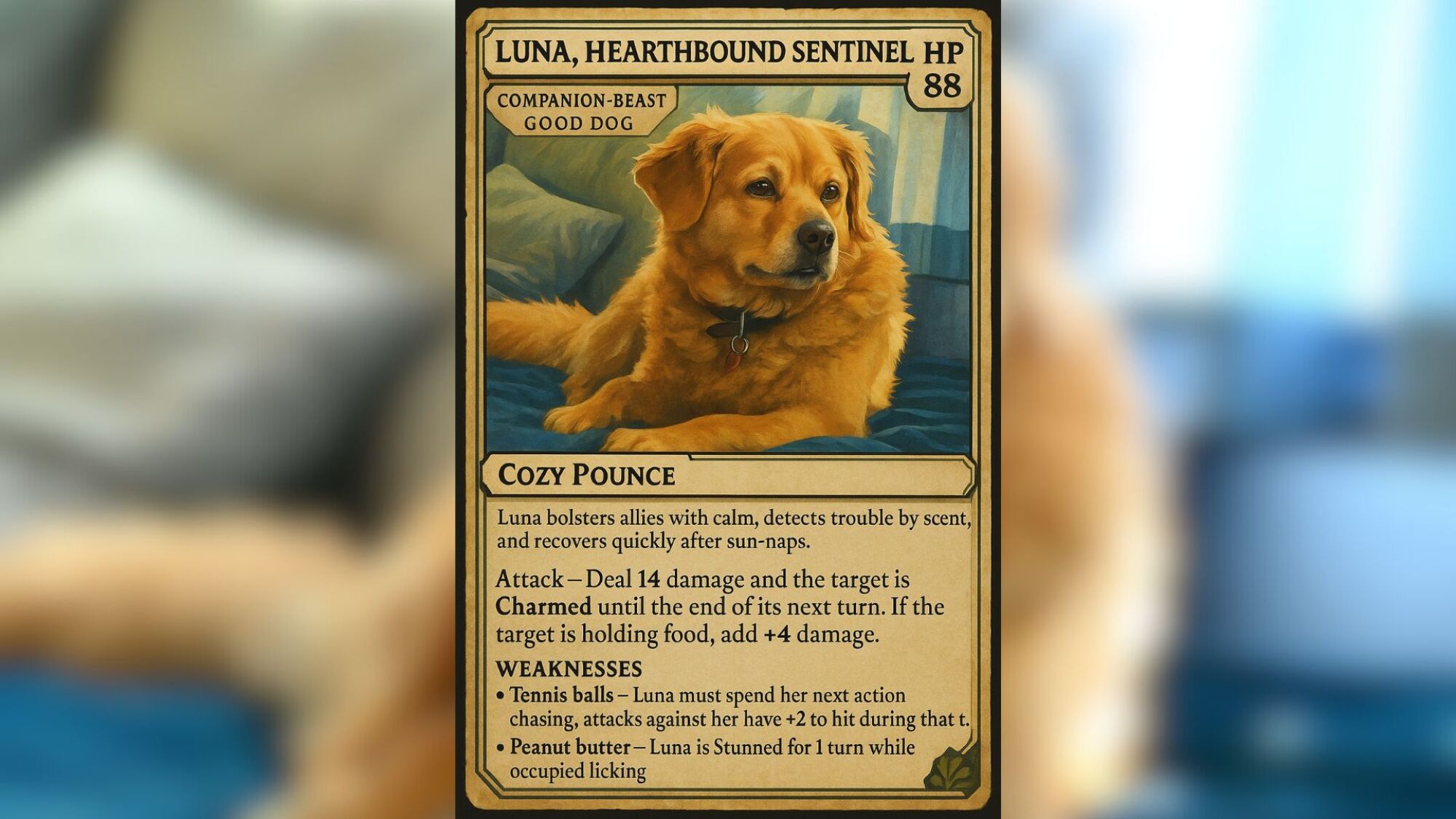
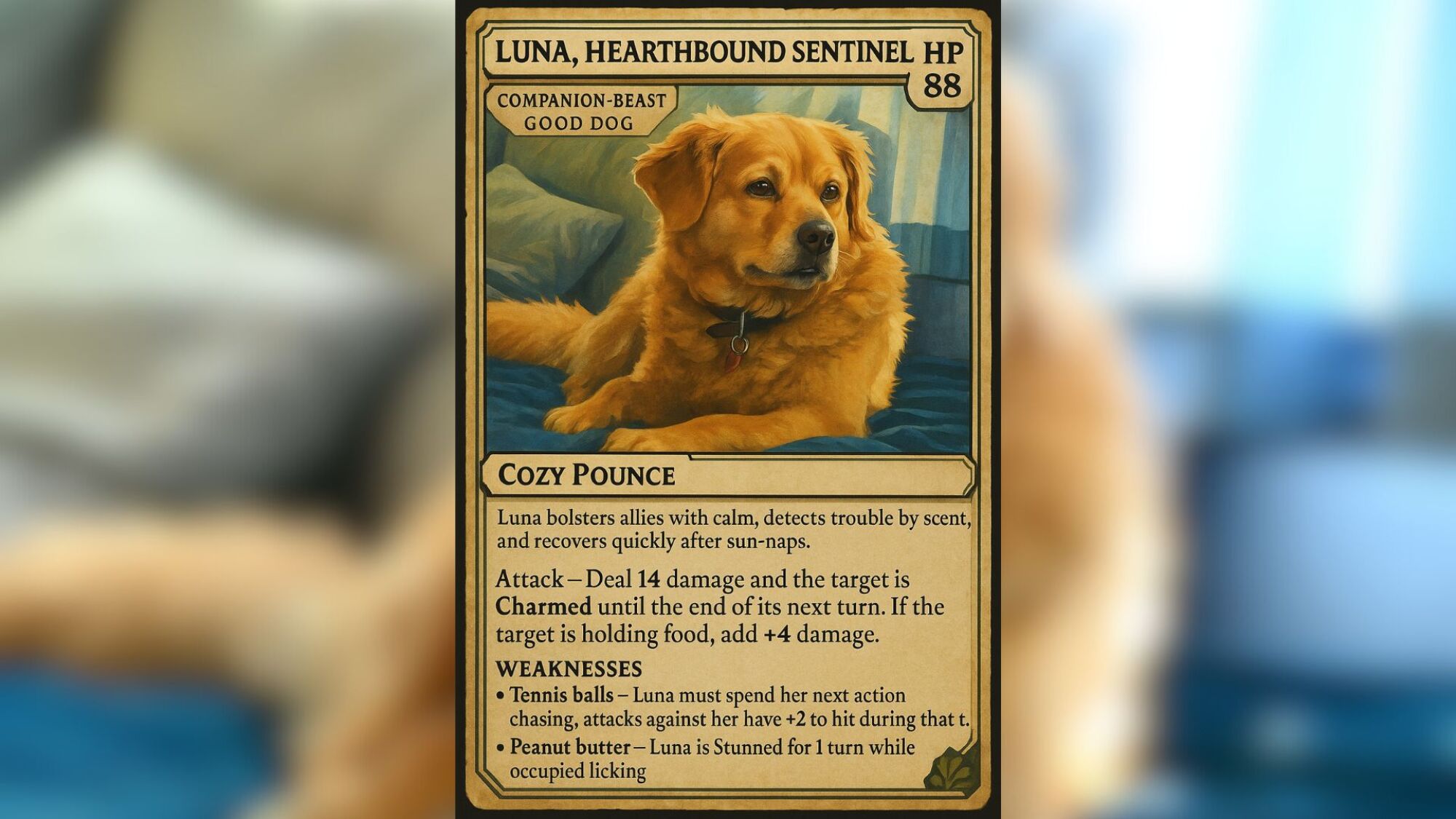
ChatGPT added fun details to Luna’s playing card (AI-generated image).
Credit: Joe Hindy / ChatGPT
This one was really fun to do. I used a picture of my dog Luna, who sadly passed away last year. I had ChatGPT create this playing card for an imaginary fantasy role-playing game, which I’ll use as a cute social media post eventually. I uploaded a photo of my dog and used a prompt detailing what I wanted.
“This is a good dog named Luna. Please create a playing card featuring Luna for an imaginary fantasy role-playing game. The card should feature details on HP, attack name and effect, weaknesses (tennis balls, peanut butter), and a very brief description of Luna’s abilities. Before completing the card, double-check that all words, text, and numbers appear correctly without any mistakes or typos.”
These make for delightful little images that you can share, and my wife got a giggle out of it. There are a ton of variations to this prompt. You can also have ChatGPT create sports trading cards or whatever your heart desires.
Blend pictures together
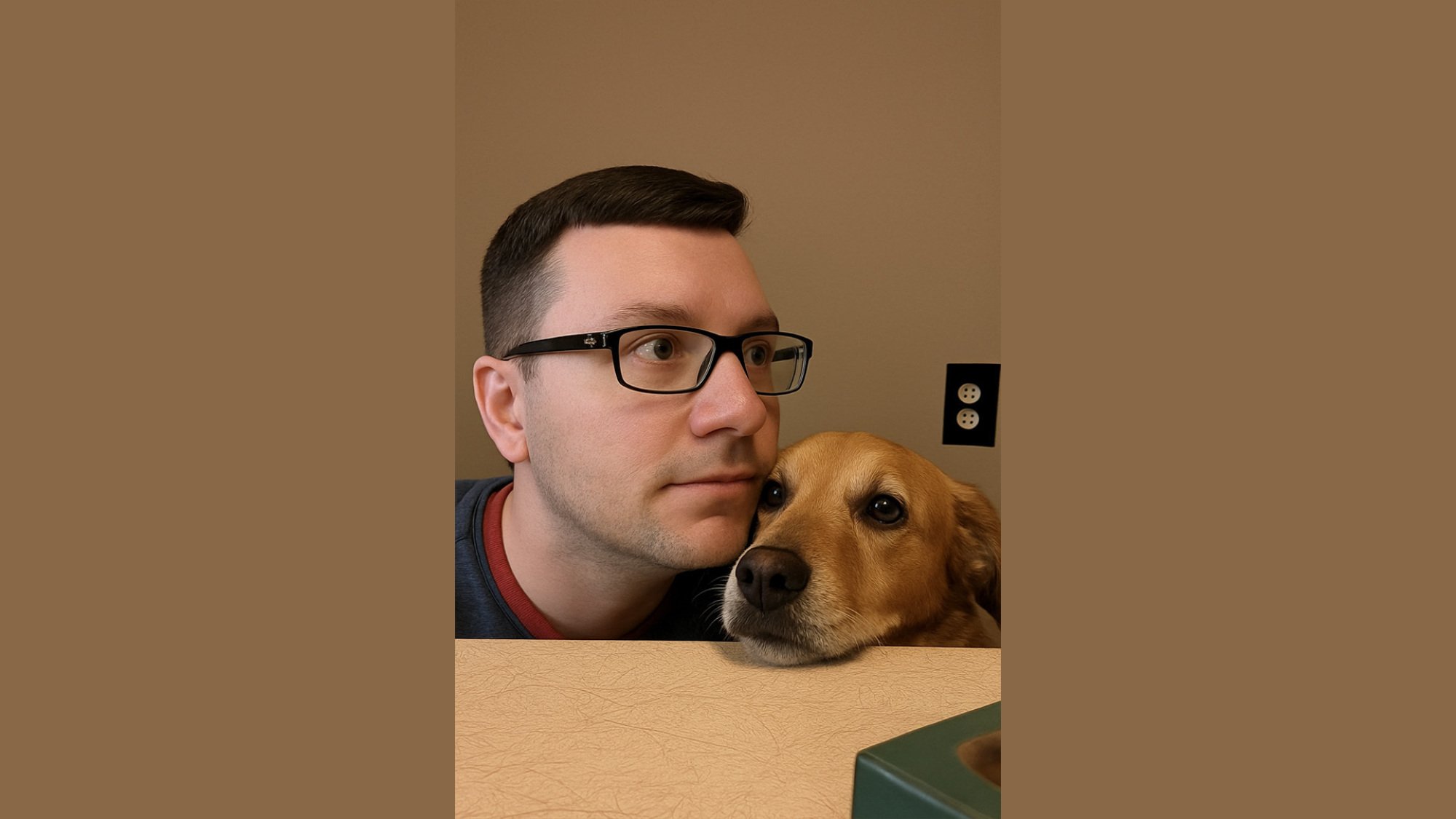
An AI-generated image of the author and his dog.
Credit: Joe Hindy/ChatGPT
One of the best examples of AI image generation at work is to blend pictures together. To make it work, simply upload two images to the ChatGPT chat with instructions on what you want to do. For this example, I took a headshot of myself and a picture of my dog with his nose on the table, and asked ChatGPT to put my head in the image with the dog. The goal was as you see above, to have a picture of my dog and I together.
The first time I tried it, it took my head and not my shoulders, so I had a real Futurama thing going where I was just a head floating there, so I had ChatGPT rerun the generation with specific instructions to also include my shoulders. The above popped out, and while it doesn’t look exactly like me (and the dog doesn’t look exactly like my dog), it’s close enough to call a success.
Add details to existing images
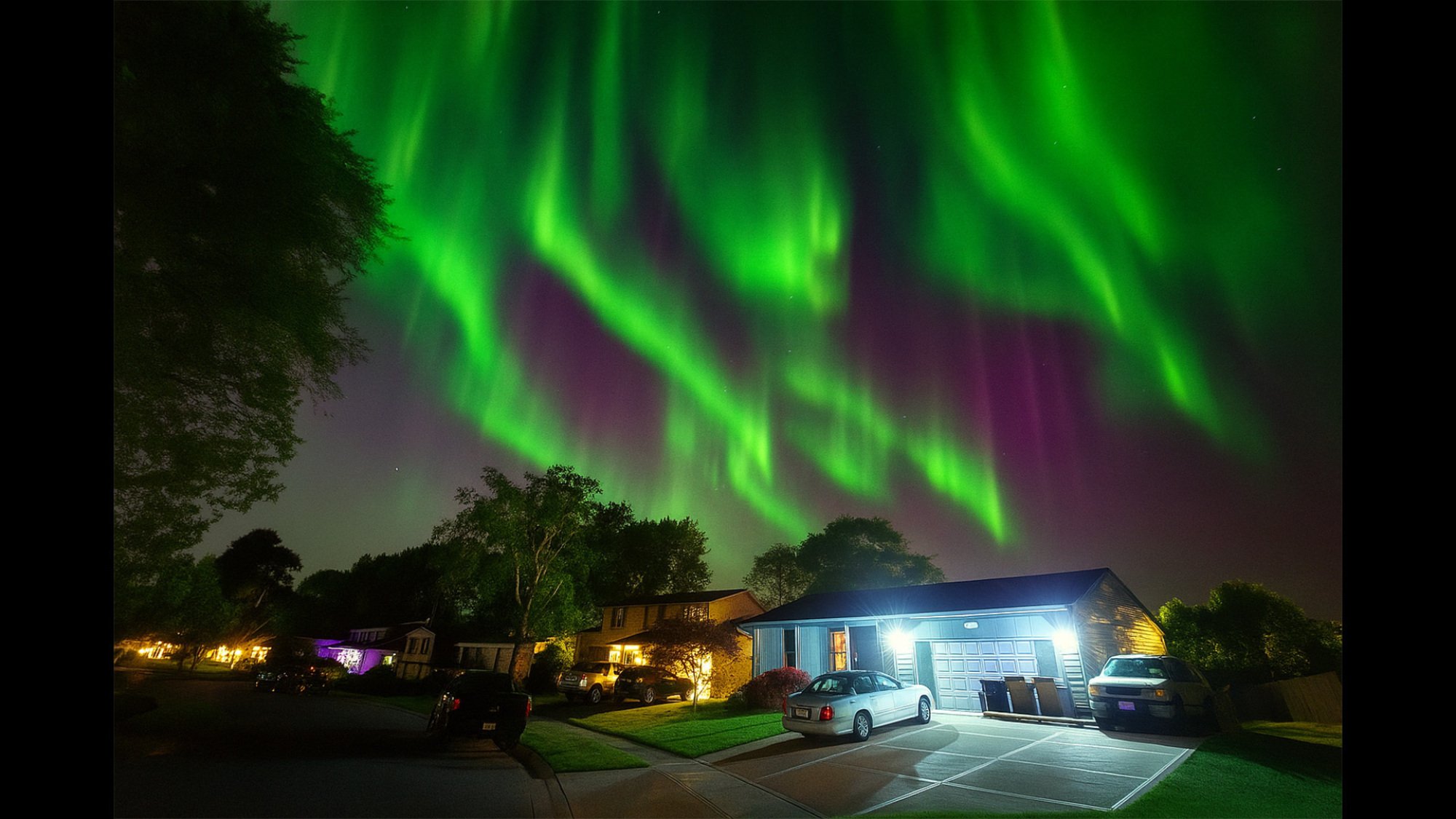
ChatGPT added details of the aurora borealis into an existing picture (AI generated image)
Credit: Joe Hindy/ChatGPT
ChatGPT can also add stuff to images to make them pop more. Google Gemini can do this with Nano Banana as well, as Mashable editor Timothy Werth added some dolphins to an image of him on a boat. So, I thought I’d try it out. Last year, the U.S. saw a crazy week where the aurora borealis reached as far as Texas. I caught a picture from my front yard, but as I was in the suburbs, and I wasn’t able to get those cool details that others did.
Mashable Light Speed
So, I sent the picture to ChatGPT and asked it to add in some of those aurora details. In the image above, ChatGPT added basically all the green parts to the sky. The more subtle green notes right above the trees and houses are perfect, but I thought the more obvious green waves were a bit much considering the lighting and color tones of the rest of the photograph. Either way, it still looks good, and it illustrates the effect.
For prompts like this, be as specific as possible. Remember, with ChatGPT image prompts, specificity is key!
Claymation, building blocks, and puppets, oh my!
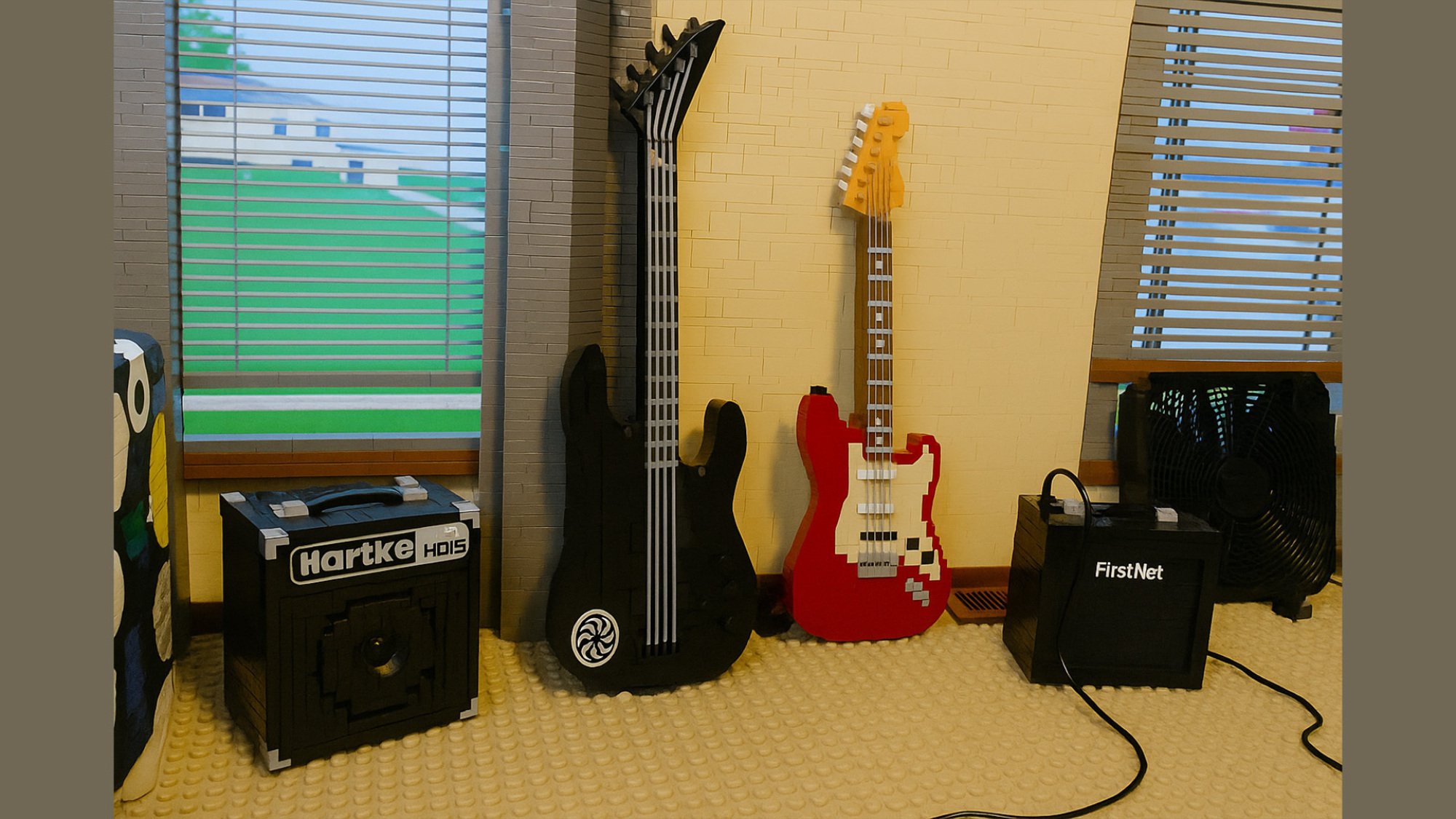
My guitars and amps but in the style of toy building blocks (AI-generated image)
Credit: Joe Hindy/ChatGPT
Claymation was a big trend a while back, and ChatGPT users have even created custom tools in the chatbot to help you make your own claymation images. So, if you’ve ever wanted to turn yourself into a Robot Chicken-like character, this is your chance. Upload an image of yourself and ask ChatGPT to do the rest.
“Use this picture and create a clay animation photograph. The subject should be sitting in a cozy living room with comfy furniture. Vivid lighting enhances the happy scene. HD quality, vivid style, bright colors.”
Ask ChatGPT to help you fine-tune your prompt if you don’t like the initial results:
Claymation isn’t the only transformation effect that ChatGPT can do, of course. Users have also had a lot of fun turning themselves into Lego-style characters and puppets.
Turn your pets into people
The ability to turn pets into people exists somewhere between super cool and weirdly unsettling. We covered this ChatGPT photo trend when it first went viral, and it’s still a lot of fun. The process is simple enough. Upload an image of your pet to ChatGPT and then ask it to imagine your pet as a human. You can add additional prompts like clothing choice, facial expression, background imagery, and all of that. ChatGPT will then turn your pet into a human. However, it’s also fun to keep this prompt extremely simple and see how ChatGPT interprets it: “Turn my pet into a human.”
In most examples, the change isn’t too dramatic, but some of them can be a little unsettling to look at. You can have ChatGPT create images that are realistic or in whatever art style you choose, which can change the output substantially. This trended on social media for a while, so you can find tons of examples on Reddit, Instagram, Threads, BlueSky, and other places.
Have ChatGPT replicate an image 100 times

The original image…
Credit: Timothy Beck Werth/ChatGPT
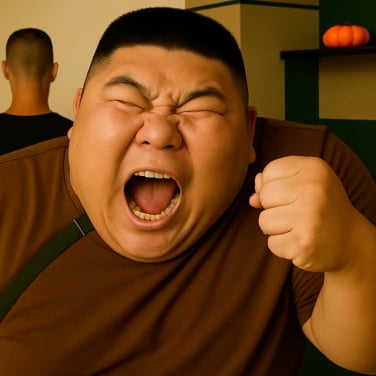
…and the final result (AI-generated image)
Credit: Joe Hindy/ChatGPT
When Mashable’s tech editor asked ChatGPT to replicate an image of himself 100 times, the results were… bizarre. For this trend, most people stick with a very simple prompt: “Create an exact replica of this image, don’t change a thing.”
You would think it would just spit out the same image 100 times, but you would be wrong. Every time you run an image through ChatGPT, it changes slightly, even if you tell it not to change anything. Repeat this a bunch of times, and you can get some really interesting end results. Word of warning: This one does require a bit more know-how, as the easiest and fastest way is to it is by using OpenAI’s API. The everyday AI chatbot may even refuse to participate in a replication request.
One of the most famous examples of this ChatGPT image trend is one where a Redditor ran Dwayne “The Rock” Johnson’s picture through the chatbot 101 times. The Rock slowly morphs from himself into someone who looks totally different, and ends up looking like something out of Picasso’s nightmares.
Turn yourself (or anything else) into an action figure
Remember the ChatGPT action figure trend? Earlier this year, ChatGPT users were using the chatbot to turn themselves or their favorite characters into action figures, complete with packaging, plastic wrap, and accessories. For best results, add some details to your prompt about the packaging details and the sort of accessories you’d like to see to further customize the final result.
This Tweet is currently unavailable. It might be loading or has been removed.
This Tweet is currently unavailable. It might be loading or has been removed.
If you need some help, check out the examples generated by X users Artedeingenio and Seinfeldism1. As per usual, the better your prompt, the better your final product will be.
Turn your Reddit username into a picture
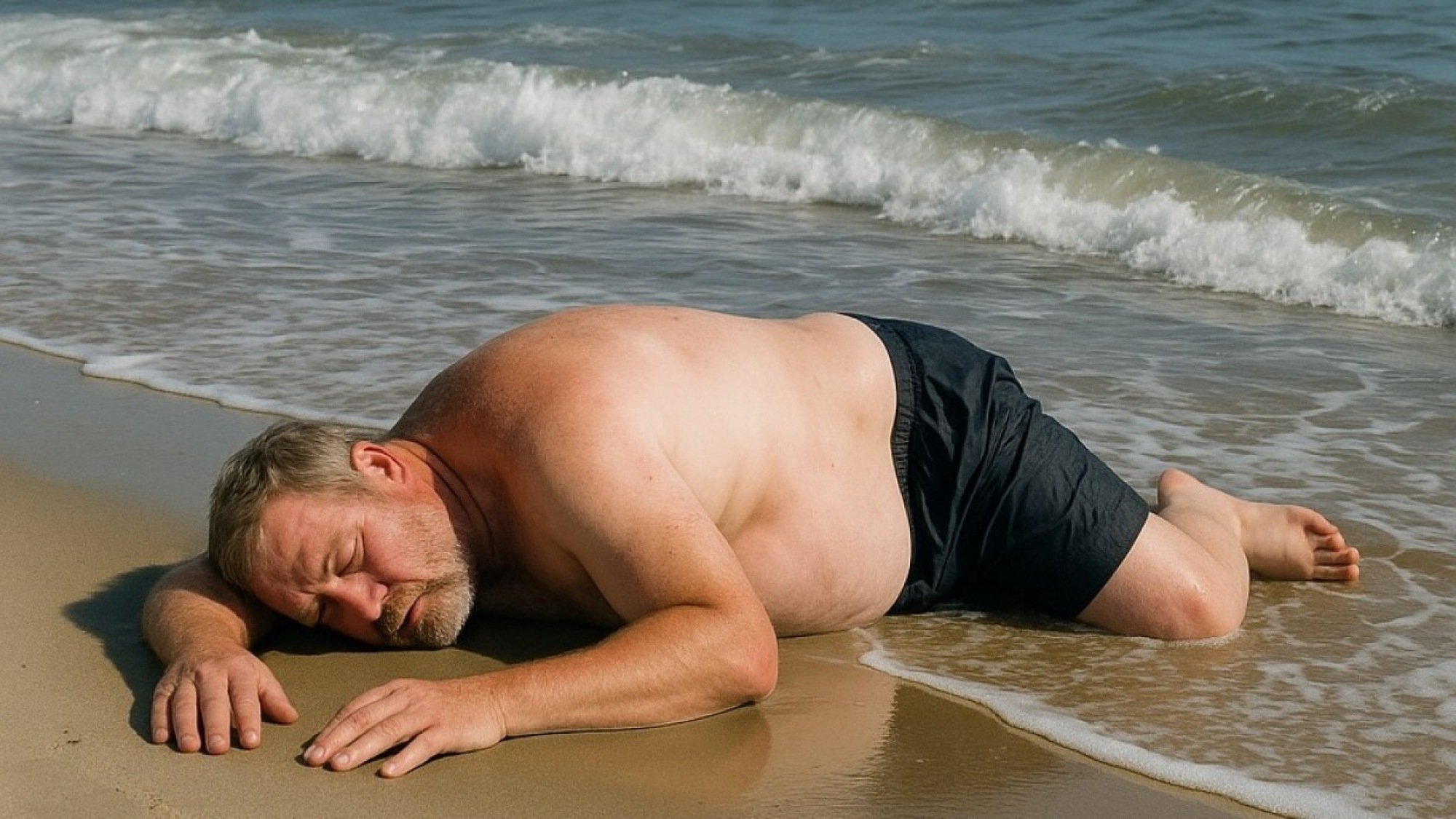
This is what ChatGPT came up with for the username “beachedwhitemale” (AI-generated image).
Credit: Reddit / beachedwhitemale
I’ve been on Reddit for about 12 years now, and I’ve seen some wacky usernames. Some of them would be fun to see in image format, and ChatGPT can do just that. In the above example, Redditor beachedwhitemale generated an image of a beached white male. Kudos for accuracy, ChatGPT.
Like the others, you can change how this presents by tweaking your prompts. For instance, one Redditor opted for a more artsy look rather than realistic, and some folks even asked ChatGPT to make the opposite of what their username would be, with interesting results. How absurd or cool this is totally depends on your Reddit username, so hopefully you picked an interesting one.
Check out the Trend Image tool
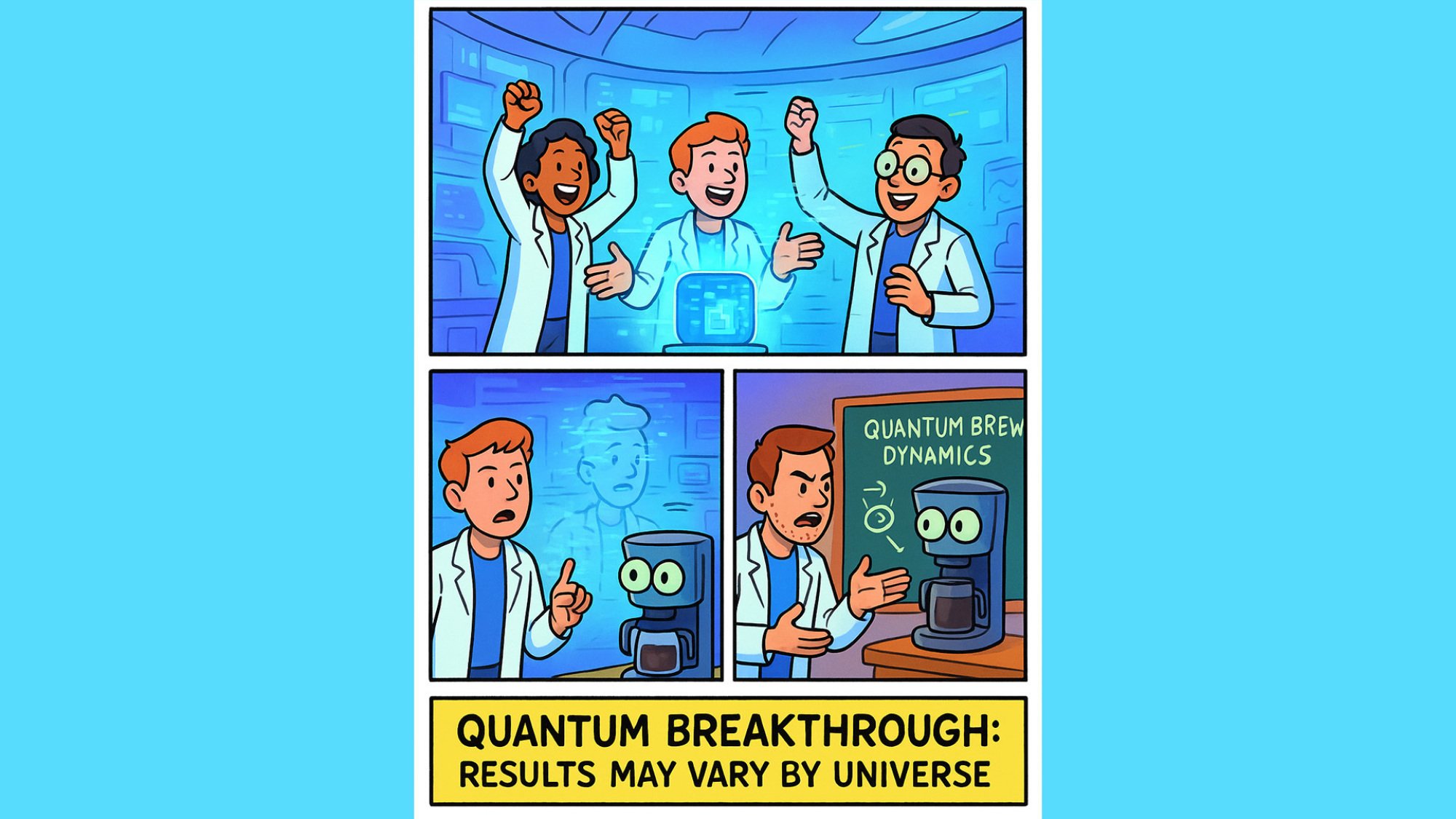
A ChatGPT Trend Image relating to some science news (AI-generated image).
Credit: Joe Hindy/ChatGPT
If you want to create images or cartoons based on trending news, one ChatGPT-er has built the Trend Image function, which mines the headlines of the day for image prompt ideas. For example, you can create a webcomic based on the latest tech news or animate an interesting science story for your kids.
My own attempt at this trend is… fine. (Why are the quantum scientists arguing with a coffee maker?) With some fine-tuning and dialogue suggestions, I think you could create something a lot better.
Have ChatGPT image prompt ideas of your own?
ChatGPT is still one of the best AI image makers (though Google’s Nano Banana is probably the best image editor at the moment), so if you have a weird or quirky idea, you might as well give it a shot. Feel free to drop your own ChatGPT prompt ideas into the comments, or share them with Mashable on social media.
Disclosure: Ziff Davis, Mashable’s parent company, in April 2026 filed a lawsuit against OpenAI, alleging it infringed Ziff Davis copyrights in training and operating its AI systems.
Topics
Artificial Intelligence
ChatGPT
Entertainment
Maddies Secret trailer reveals John Early as youve never seen him before

Comedian John Early makes his feature directorial debut with Maddie’s Secret, an offbeat homage to melodrama that he wrote and headlines as its eponymous heroine.
As an aspiring food influencer, Maddie Ralph (Early) is passionate about her cuisine. And at first glance, she’s got a picture-perfect life: a loving husband (Eric Rahill), a devoted best friend (Kate Berlant), and a job at a culinary content studio called Gourmaybe. But as the title suggests, there’s a side to Maddie she can’t stomach sharing with her loved ones. And this secret could kill her.
Out of the movie’s premiere at the Toronto International Film Festival last fall, I cheered Maddie’s Secret, writing in my review for Mashable, “The film is silly and strange, but even amid campy bits, sincere. So, you’ll laugh at its parody elements, but may well be genuinely moved by Early’s commitment to this strange and splendid film.”
I also said “John Early is a better ingénue than Sydney Sweeney,” comparing Maddie’s Secret to another earnest (but less entertaining) TIFF offering, Christy. And I stand by it.
Maddie’s Secret opens in theaters in New York on June 19, and in Los Angeles on June 26.
Entertainment
Pride is almost here! Check out the best dating apps for LGBTQ women.
We know Pride is all year round, but there is something special about the month of June. We’re not there quite yet, but if you want a main squeeze for all the parades and parties, you gotta start looking now. How about on a dating app?
As a lesbian, you probably know all about them. Lesbian Americans (along with bisexual and gay Americans) are far more likely to have ever used dating apps than straight Americans: 51 percent to 28 percent, according to the Pew Research Center.
There are a few reasons why LGBTQ people might turn to online dating more quickly than straight folks. For one, you might live in an area without a thriving LGBTQ community, and in-person dating may be hard. If you don’t know other lesbians to begin with, how can you meet more IRL to date? (Sometimes, lesbian spaces can also be co-opted by The Straights.) Unfortunately, in-person dating may also be less safe, depending on where you live.
Hookup apps for everyone
AdultFriendFinder
—
readers’ pick for casual connections
Tinder
—
top pick for finding hookups
Hinge
—
popular choice for regular meetups
Thankfully, we live in a time where we can find people like us with a few swipes. Lesbians are welcome on major dating apps, and there are also niche ones specifically for lesbians and other queer women and people. But which one to choose?
How to find the best dating apps for lesbians

Niche lesbian dating apps aren’t your only option for finding love.
Credit: Stacey Zhu / Mashable
In Mashable’s recommendations below, you’ll find both general dating apps and apps specifically for queer people. As the former appeals to the general population, you’ll find more users in these spaces. The caveat, however, is that when you swipe on other women, you might find those coupled with men who are looking for another woman to have a threesome with (aka unicorn hunters). No judgment here, but that’s probably not what you’re looking for. Then again, people of all types are on dating apps like Tinder and Hinge. You never know who you may come across.
Then there are apps specifically for the community, like HER and Lex. If you yearn for a smaller dating scene, head for these apps. While there’s no “Grindr for lesbians” — we go into why in the FAQ section — these apps are more so like stepping into your neighborhood lesbian bar than an app like Bumble.
You can also try multiple dating apps, as each one below has a free version. You can filter by the gender you identify with and are looking for, and sometimes, as with OkCupid, there are many options to choose from.
Diving into the dating pool isn’t easy, but the water’s fine. Check out our guide below for the full rundown of our recommendations and dating app reviews.
Entertainment
OpenAI rolls out ChatGPT 5.5 Instant as the new default model for everyone
Last week, OpenAI managed to stop ChatGPT from talking about goblins all the time. This week, there’s a whole new model for users to play with.
The company announced in a blog post on Tuesday that ChatGPT 5.5 Instant has begun rolling out to all users as the new default model for the popular AI chatbot. The new model is a follow-up to GPT 5.5, which was released in April.
GPT-5.5 Instant replaces 5.3 Instant, which will remain available for the next three months for paid users but will otherwise be sunsetted.
Unlike Claude Opus 4.7 from Anthropic and GPT-5.5, which are only available to paid customers, GPT-5.5 Instant is “available to everyone.” OpenAI says it should produce fewer hallucinations and better overall results for everyday ChatGPT usage.
“This update makes everyday interactions more useful and more enjoyable: stronger and tighter answers across subject areas, a more natural conversational tone, and better use of the context you’ve already shared when personalization can help,” OpenAI’s blog post said.
Mashable Light Speed
According to OpenAI, GPT-5.5 Instant produced 52.5 percent fewer hallucinated claims in internal testing than GPT-5.3 in “high stakes” topics like law, finance, and medicine. In addition, the new model “reduced inaccurate claims by 37.3% on especially challenging conversations users had flagged for factual errors.”
The company also says the new model is better at deciding when to use web search for a prompt and analyzing image uploads than before. The new model is also allegedly more concise in its answers, while also maintaining something of a personality in how it talks to the user. GPT-5.5 Instant should also be better at understanding and referencing context from a connected Gmail account and other integrations to provide quality answers.
And, again, most importantly, it should avoid mentioning goblins unless absolutely necessary.
Want to learn more about getting the best out of your tech? Sign up for Mashable’s Top Stories and Deals newsletters today.
Disclosure: Ziff Davis, Mashable’s parent company, in April 2025 filed a lawsuit against OpenAI, alleging it infringed Ziff Davis copyrights in training and operating its AI systems.

Maddies Secret trailer reveals John Early as youve never seen him before
Pride is almost here! Check out the best dating apps for LGBTQ women.


