
Entertainment
The best webcams in 2025
This content originally appeared on Mashable for a US audience and has been adapted for the UK audience.
When it comes to webcams, there’s one thing you can rely on: The webcam built into your computer isn’t up to scratch. At least, not if you need it for professional purposes, whether that means video meetings or YouTube content creating.
The good news is that you don’t have settle for subpar video every time you hop on a call or drop your latest short. There is another way: an external webcam.
External webcams are clearer, more detailed, more advanced, and just, well, better. Before you buy one, however, there are a few basics you’ll need to know. Here’s some helpful information, plus a selection of the best webcams, to put you in the picture.
What is an external webcam?
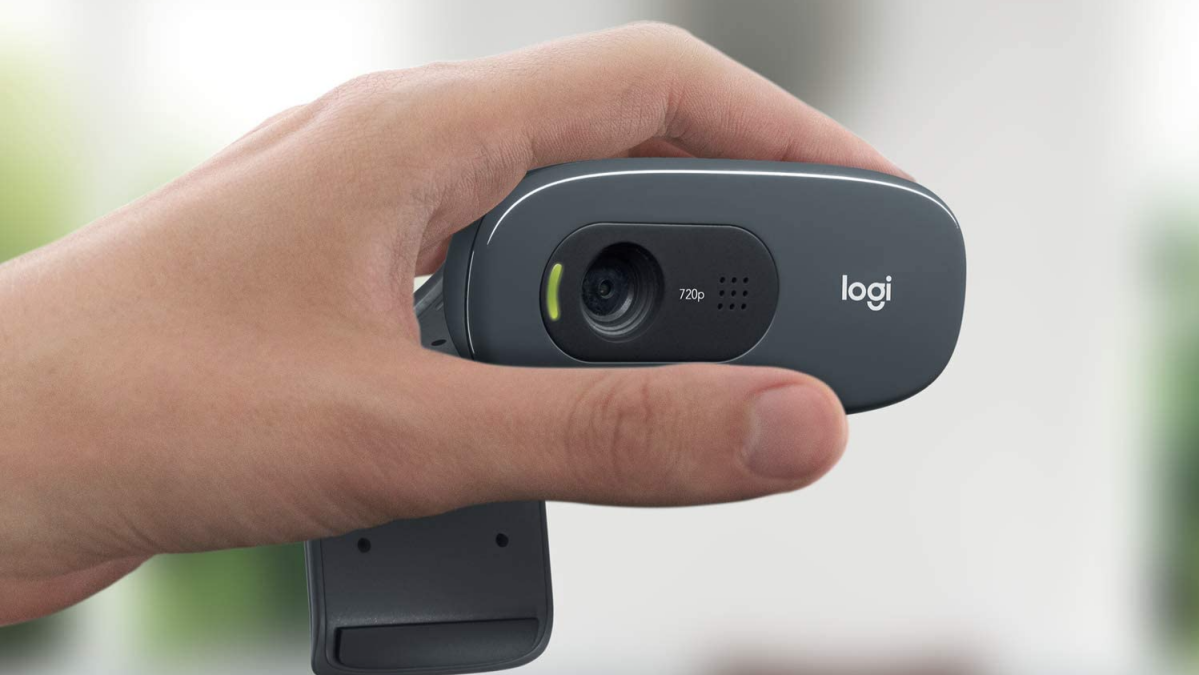
An external webcam clips on the top of your screen or sits on a little tripod and plugs in via USB or Thunderbolt, rather than being a part of your computer or laptop. Most external webcams — especially high-quality cams — come with software that lets you manually adjust features, resolution, frames rate, white balance, exposure, and so on. Ultimately, an external webcam can be an easy way to make your video quality better and more consistent.
Are external webcams expensive?
They don’t have to be expensive. There are webcams on the cheaper end out there that are still a step up from built-in webcams. Of course, the more you pay, the clearer the image and greater the customisation options, but upgrading to an external webcam doesn’t mean you have to spend a lot.
What features do webcams have?
This isn’t an exhaustive list, but it’s useful to keep these things in mind when shopping for a webcam:
-
Built-in mics — Some cameras come with one built-in mic, two built-in mics, or no mics at all. If crisp sound quality is important to you, spring for an external USB microphone. Webcam mics are never really built to wow. However, if your computer setup has no mic at all, grab a webcam that comes with one so you can make sure you’re being heard on your calls. Some mics also have noise cancelling capabilities to cut out ambient background interference.
-
Field of view — If you want a webcam that frames you nicely (as in, not so small that the smallest adjustment will cut you out of the picture, and not so big you see the whole room in the background) check out the field of view, which describes the width of the area a camera captures. The standard sweet spot on most webcams hovers around 80 degrees, which can fit about two people comfortably.
-
Image resolution and frame rate — There are a few image resolutions you’ll come across, including 720p (HD), 1080p (Full HD), and 4K (UHD). As you might have guessed, the higher the resolution, the higher the picture quality. While the image resolution is all about clarity, frame rate is all about smoothness. Typically, a higher frame rate like 60fps looks smoothest, though 30fps will still offer lag-free video. Only the highest quality webcams support 4K/30 fps and most video call/streaming platforms support 1080p/30fps.
-
Lighting — If you find that your facial features are almost always lost to overexposure or that your image looks so dark you’re giving villain-in-a-found-film-horror-movie-energy (absolutely a vibe but maybe not the one you want on client calls), look out for webcams that handle changing light conditions well or have software that allows you to adjust contrast, exposure, and white balance.
Keep these things in mind when beginning your purchase process.
Are webcams a security risk?
There isn’t a greater privacy risk with an external webcam than a built-in webcam. But with any webcams, external or otherwise, you should be aware that webcam hacks are very much a thing, even if you don’t have your camera on. The rule of thumb is that if you have a webcam, you should be covering it every time it’s not in use. There are external covers you can buy for most kinds of webcams and some webcams.
What is the best webcam?
We’ve searched high and low for the very best webcams and lined up a selection for you. There should be something for everyone and every budget in this roundup, including popular models from top brands such as Logitech, Anker, and Razer.
These are the best webcams in 2025.
Entertainment
Everything we expect from Samsung’s July event (Fold 8, watches, and glasses!)

Samsung’s next big event could reveal foldables, smartwatches, and its first Android XR glasses.
on
The biggest stories of the day delivered to your inbox.
Thanks for signing up. See you at your inbox!
Entertainment
AI just disproved a major math problem. A mathematician explains.
While the rest of the world was watching the World Cup on Sunday evening, mathematician Levent Alpöge casually announced on X that he had used Anthropic’s Fable 5 to disprove the Jacobian conjecture.
This Tweet is currently unavailable. It might be loading or has been removed.
The Jacobian conjecture is a long-standing open problem in algebraic geometry that’s bedeviled highly accomplished mathematicians for almost 90 years. It was included in “Smale’s problems,” a list of unresolved math problems put forward by mathematician Stephen Smale in 1998.
But that proved no obstacle for Fable 5, Anthropic’s latest frontier AI model. (You may remember Fable 5 as the public version of Claude Mythos Preview, the AI model that Anthropic says has such advanced cybersecurity capabilities that it was too dangerous for public release.)
Alpöge is part of Harvard’s Society of Fellows, and his Linkedin profile notes an affiliation with Anthropic. We’ve reached out to Anthropic with questions about Alpöge’s work.
Meanwhile, for those of us who don’t understand polynomial functions from n-dimensional space, the question is: Does this represent a major breakthrough in artificial intelligence, or mathematics, or neither?
“This did not cause me to update my priors about what AI can and can’t do,” professor and mathematician Andrew Blumberg told Mashable. “This is exactly the kind of thing I would expect AI to be able to do. If there was a counterexample that was concise and easy to state that people haven’t found because it’s a pain to search through all this stuff, AI will find it.”
Blumberg, who has a joint appointment in mathematics and computer science at Columbia University, is involved in the First Proof project, an effort to test the capabilities of frontier large language models in solving research-level mathematics. So, it’s safe to say he understands mathematics and AI better than most of us.
Mashable Light Speed
‘You want to learn something from the answer’
Providing a counterexample to the Jacobian conjecture is still a significant achievement for AI in mathematics, Blumberg notes. But he also says there’s a big difference between providing a positive proof for a major math problem and providing a single counterexample that disproves it. Here’s the metaphor Blumberg used to explain.
“Suppose that Moses came down from the mountain with tablets, and on the tablet was written, ‘Cancer can be cured.’ Would you care? You don’t just want the answer to the question. You want to learn something from the answer. And the reason Smale thought this problem was important is because he thought that if we solved it, we would understand more things about the about the way nature is structured.”
In other words, Blumberg says, “this counterexample tells us essentially nothing. It’s just, you know, there are a lot of polynomials, and it’s hard for people to check them all, but it’s not hard for machines.”
The Jacobian conjecture isn’t the only math problem AI has tackled in recent months. OpenAI announced in May an “internal model” had disproved the Erdős unit distance conjecture, a central conjecture in discrete geometry.
However, in that case, the result was more productive, Blumberg says. That’s because OpenAI didn’t just provide a counterexample — but a disproof of the problem itself.
“The disproof there already has led to interesting things because experts in the area unpacked what was going on in the disproof and then used it to do other things,” Blumberg says.
And that’s not necessarily the case with the Jacobian conjecture counterexample, he adds — while conceding he’s not expert enough to see if there’s something special about the structure of the counterexample that we can learn from. “But it’s not in and of itself interesting.”
Disclosure: Ziff Davis, Mashable’s parent company, in April 2025 filed a lawsuit against OpenAI, alleging it infringed Ziff Davis copyrights in training and operating its AI systems.
Entertainment
macOS 27 Beta has a secret Siri AI interface. How to try it.
You’ve waited long enough for Apple’s relaunch of Siri as an AI assistant, and now you can finally try out the Siri AI beta for iOS. But, psst, don’t tell anyone, but there’s even more Siri AI for you to try out with a secret Siri AI interface on Mac.
A Reddit user on the r/MacOSBeta subreddit has discovered a “hidden lightweight UI” for Siri AI in the macOS 27 Golden Gate beta. This feature basically provides users with an array of AI tools, presented in a pop-up menu whenever text is highlighted.
The Siri AI pop-up interface includes AI tools such as Rewrite, Proofread, “How does this sound?,” and “Edit with Siri.” There are also menu options for summarization and providing bullet points from the selected text.
Siri AI can also provide a selection of specific tools dependent on the context of what’s selected. For example, highlighting a phone number provides a pop-up to “Add to contacts” or when selecting an address the pop-up offers an “Open in Maps” option. There are tools for creating calendar events, composing messages and emails, and tracking flights and packages as well.
Why is the feature hidden? Well, as MacRumors points out, the Siri AI interface in macOS 27 developer beta 3 and public beta 1 is simply an unfinished product. Certain features don’t yet work how they’re supposed to. Some options don’t work at all. Clearly, Apple has yet to make it available because it’s simply not ready.
Mashable Light Speed
However, Reddit users say there is a way to turn the interface on in the macOS Golden Gate Beta. According to Redditor pdfu, if users running the macOS 27 beta simply need to open up the Terminal and input a few lines of code.
Please note: We do not recommend running terminal instructions or changing important OS files unless you fully understand what you’re doing. We have not tested these terminal instructions, so proceed at your own risk.
sudo mkdir -p /Library/Preferences/FeatureFlags/Domain && sudo defaults write /Library/Preferences/FeatureFlags/Domain/WritingTools LightweightUI_macOS -dict Enabled -bool true
After that, the Reddit threat instructs users to restart their computer and the Siri AI interface will be enabled.
If you’ve had enough of the unfinished interface, you can turn it back off by once again opening Terminal and the following input:
sudo defaults write /Library/Preferences/FeatureFlags/Domain/WritingTools LightweightUI_macOS -dict Enabled -bool false
It’s unclear if the Siri AI interface will launch with the official version of the new macOS. However, it’s certainly interesting to see Apple further brand its Siri AI relaunch as an all-in-one AI tool across the company’s products.

Joey Logano fastest to finish in first North Wilkesboro points race since '96
Royals RHP Stephen Kolek (flexor) hurt on rehab assignment, placed on IL


